For the love
of music.
Your words. Your sound.
A native Mac studio for local AI song creation, precise editing and independent mastering. Shared with the music community.

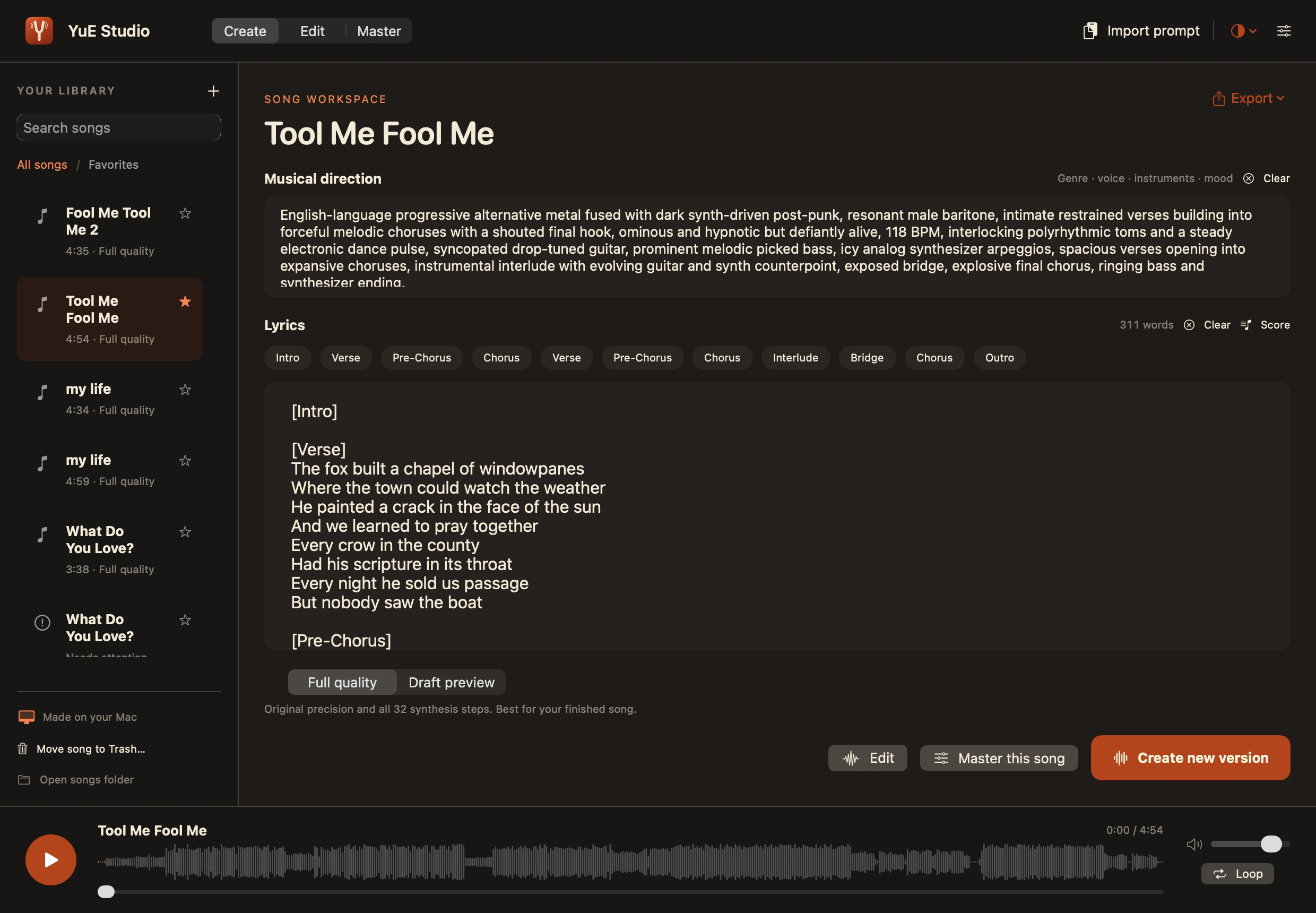
Create songs locally.
Master a mix beautifully.
Start with a lyric and a musical direction, or bring a recording of your own. Make room for whatever comes next.
Editing and mastering are ready to go. Song creation requires one-time model setup.
Explore the source on GitHubThree ways
into the music.
Create something from an idea. Shape the recording. Give a finished mix your final touch. Each has its own space, and you decide where to begin.
A phrase becomes
a whole world.
Give YuE2 your lyrics and a musical style. Shape verses, choruses and bridges, then render full stereo audio on your Mac.
- Full planning and 32-step synthesis by default
- Optional 8-step Draft preview; finish the saved composition later
- Lyrics, playback and versions in one place
- Lossless exports and saved work for recovery
Keep the feeling.
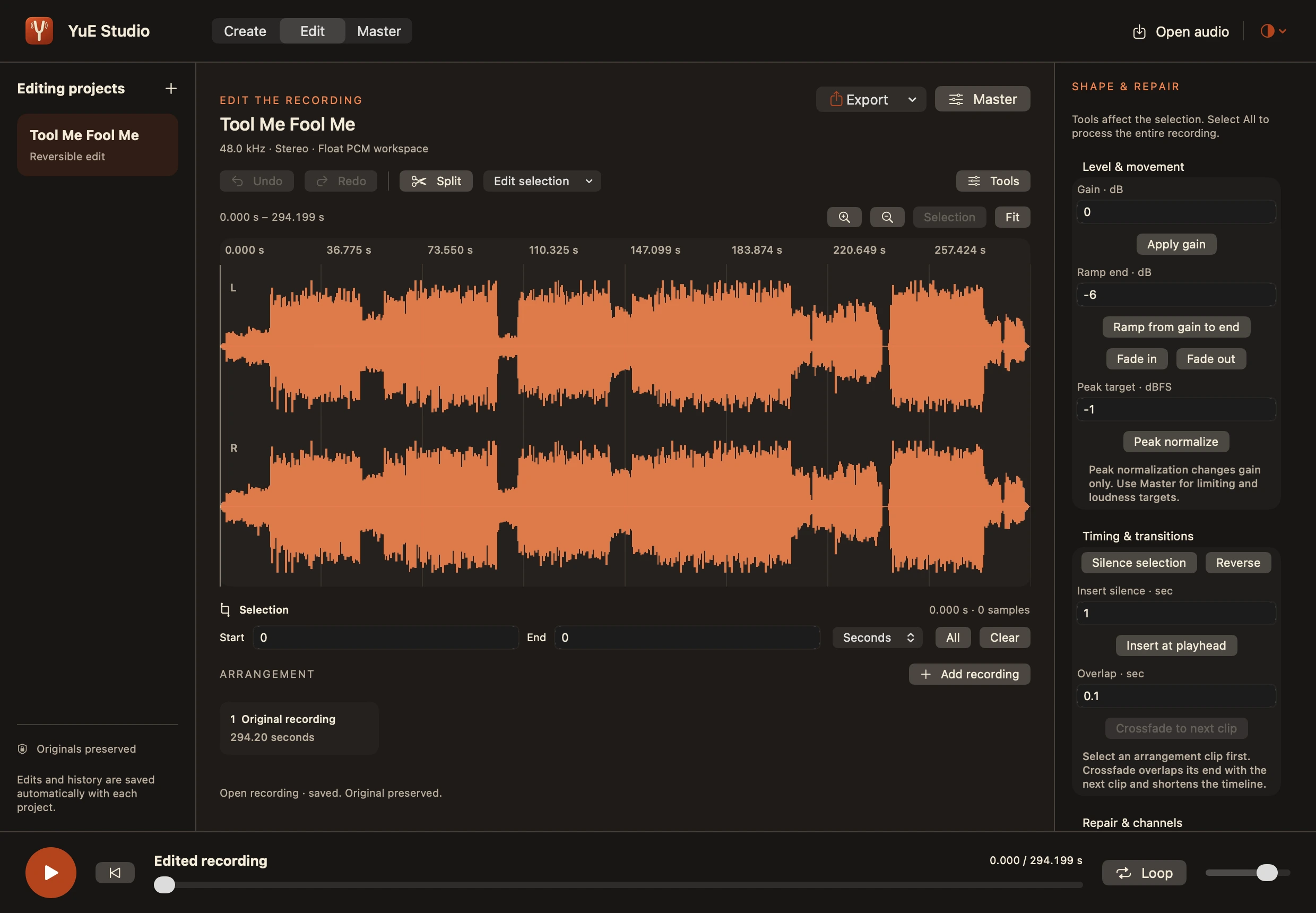
Shape the recording.
Trim a long intro, arrange a different ending, or smooth a transition. Work directly on your recording with a detailed stereo waveform and reversible edits.
- Cut, arrange, fade, crossfade and adjust volume
- Local click repair, channel tools and signal analysis
- Saved undo/redo and whole-song or selection export
The finishing touch.
On your terms.
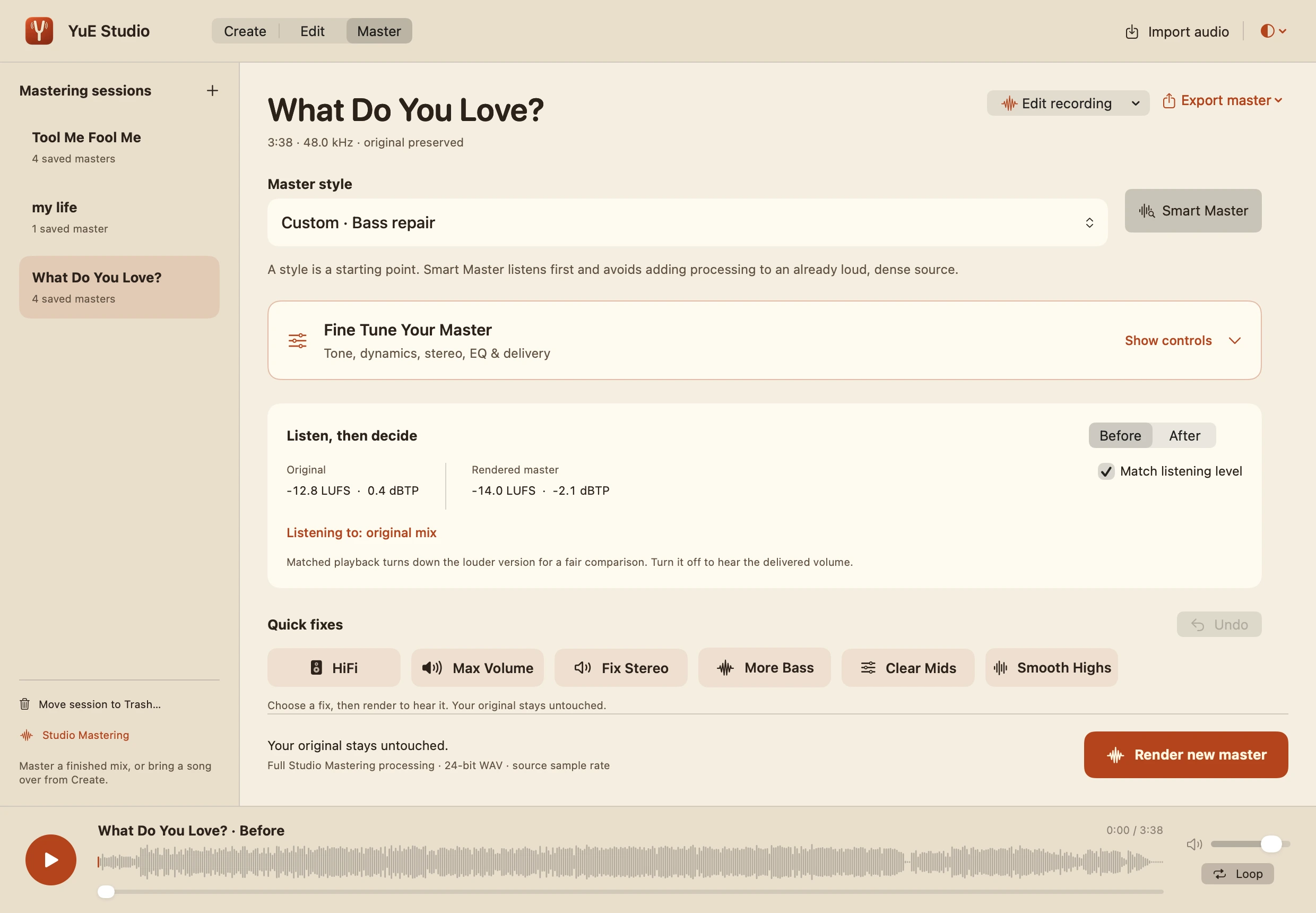
Drop in your own recording or bring over a generated song. Start with Smart Master or one of 43 styles, then listen, adjust and compare.
- HiFi, Max Volume, More Bass and more Quick Fixes
- Before/After listening with loudness matching
- WAV, FLAC, AIFF, ALAC, AAC and MP3 export; originals preserved
Good sound deserves the time it takes.
Full quality comes first. Generation, editor processing and mastering run one at a time, keeping your Mac focused on the music.
Your next session
starts here.
A small download. A real native app.
Choose the tools you want to use.
Make it at home.
Download the DMG, open it, and drag YuE Studio into Applications. The app and installer are signed and Apple-notarized.
Bring a recording.
Open Edit to shape a recording, or Master to finish a mix. Both work immediately—no model downloads required. Every rendered master gets its own version.
Or build a song.
Follow the generation setup guide to install the runtime and several GB of models. Then add your lyrics and style in Create.
Before you press play.
Will it download the models automatically?
The current app does not automatically download models. The DMG includes the app and mastering engine; song generation needs the separate, one-time runtime setup script. That script downloads the Python dependencies and model weights. Keep the setup checkout in place. Existing compatible YuE Studio runtimes are reused.
Will it run on my Mac?
The app requires Apple Silicon and macOS 14 or newer. Development and full-song validation used an M4 Pro Mac mini with 24 GB of unified memory. Other configurations and minimum generation-memory limits have not been validated for this edition. Generation time and memory use depend on the song and hardware.
Can I hear an idea sooner?
Choose Draft preview for an 8-step synthesis pass. Full quality stays the default at 32 steps. When a draft feels right, finish its saved composition at full quality without repeating planning or song-token generation. The draft is kept for comparison.
Can I use it just for editing or mastering?
Absolutely. Open Edit or Master and import your recording. You never have to generate a song or install the generation models. Mastering creates separate versions and preserves your imported original. HiFi and the other Quick Fixes change editable settings; you choose when to render.
Is it free? What about the licenses?
The app is free to download. Studio and generation code is Apache-2.0; the included Studio Mastering engine is AGPL-3.0-only. The YuE2 model weights have a separate noncommercial license. Please read the credits and license details before using or redistributing the project.
Does the music stay on my Mac?
Generation, editing and mastering process audio locally. Initial setup needs internet access to download dependencies and models. The app does not require a paid cloud-generation service or an account. This website has no analytics or sign-up form.
Music is better
when we share.
Built for curious people with songs in their heads. Shared for the love of music, and what AI can help us make. Try it. Shape it. Make something that sounds like you.